TSX & Typed Components: Mastering Type Safety in React
## 1. Problem Statement
## **Case Study: Secure Banking Dashboard**
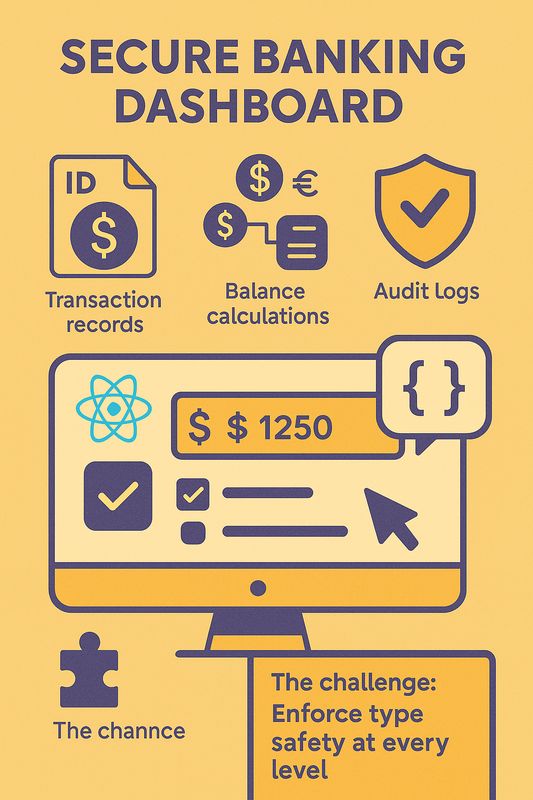
A financial institution is building a React dashboard to handle high-stakes transactions:
- Transaction records must have strictly typed properties (ID, amount, currency, timestamp).
- Balance calculations must prevent type mismatches (e.g., adding USD to EUR).
- Audit logs require immutable state with strict type checks to prevent tampering.
- A single type error could lead to financial discrepancies or regulatory violations.
**The challenge:**
How do you enforce **type safety at every level**—props, state, events, and API responses—while maintaining React’s flexibility and developer productivity?
----------
## 2. Learning Objectives
By the end of this tutorial, you will:
- Define **type-safe props** using interfaces and type aliases.
- Implement **strictly typed state** in functional and class components.
- Handle complex state scenarios with `useState`, `useReducer`, and generics.
- Type class components with lifecycle methods and inherited props.
- Avoid common pitfalls like `any` types and implicit type coercion.
----------
## 3. Concept Introduction with Analogy
## **Analogy: The Bank’s Type-Safe Vault System**
Imagine a bank vault where:
- **Props** are deposit slips: They must specify exact currency, amount, and account numbers.
- **State** is the ledger: Every entry is validated against strict schemas before being recorded.
- **Class Components** are vault managers: They follow strict protocols (lifecycles) to handle transactions.
- **Functional Components** are tellers: Quick and efficient, but bound by the same type rules.
**TypeScript in React is this vault system:** It ensures every "transaction" (data flow) is validated against a precise contract.
----------
## 4. Technical Deep Dive
**A. Props: Contracts for Component Input**
**1. Interfaces vs. Type Aliases**
```js
// Interface: Extensible via declaration merging
interface TransactionProps {
id: string;
amount: number;
currency: 'USD' | 'EUR' | 'GBP';
}
// Type Alias: Fixed structure, supports unions
type PaymentMethod = 'credit' | 'debit';
type PaymentProps = {
method: PaymentMethod;
fee: number;
};
```
- **Use interfaces** for public APIs (extendable).
- **Use type aliases** for unions/utilities.
**2. Optional vs. Required Props**
```js
interface UserProfileProps {
name: string;
age?: number; // Optional
}
```
- `age?: number` vs. `age: number | undefined`: The former allows omission.
**3. Default Props**
```js
// Functional Component
const Greeting: React.FC<{ message?: string }> = ({ message = 'Hello' }) => (
);
```
**B. Transaction Form (Class Component)**
```js
interface TransactionFormState {
amount: string;
currency: 'USD' | 'EUR';
}
interface TransactionFormProps {
onSubmit: (amount: number, currency: 'USD' | 'EUR') => void;
}
class TransactionForm extends React.Component {
state: TransactionFormState = { amount: '', currency: 'USD' };
handleSubmit = (e: React.FormEvent) => {
e.preventDefault();
this.props.onSubmit(Number(this.state.amount), this.state.currency);
};
render() {
return (
);
}
}
```
## 6. Interactive Challenge / Mini-Project
**Your Task:**
Build a `BudgetTracker` component that:
- Tracks income and expenses in different currencies.
- Shows net balance in a selected currency.
- Uses `useReducer` for state management.
- Implements type-safe props for currency conversion rates.
**Requirements:**
1. Define interfaces for `IncomeEntry` and `ExpenseEntry`.
2. Create a reducer with `addIncome` and `addExpense` actions.
3. Prevent negative balances through type-safe checks.
## 7. Common Pitfalls & Best Practices
| Pitfall | Best Practice |
|-------------------------------------|----------------------------------------------------|
| Using `any` for props/state | Always define explicit types |
| Optional props without defaults | Use `Required` or `defaultProps` |
| Mutating state directly | Use read-only types and immutable updates |
| Ignoring type inference | Let TypeScript infer when possible |
| Complex unions without validation | Use `Zod` or `Yup` for runtime validation |
## 8. Optional: Programmer’s Workflow Checklist
- Define interfaces/types before writing components.
- Validate props with PropTypes or runtime checks.
- Use `Readonly` for state immutability.
- Test type boundaries (e.g., max currency values).
- Audit type definitions with `tsc --noEmit`.
 **The challenge:**
How do you enforce **type safety at every level**—props, state, events, and API responses—while maintaining React’s flexibility and developer productivity?
----------
## 2. Learning Objectives
By the end of this tutorial, you will:
- Define **type-safe props** using interfaces and type aliases.
- Implement **strictly typed state** in functional and class components.
- Handle complex state scenarios with `useState`, `useReducer`, and generics.
- Type class components with lifecycle methods and inherited props.
- Avoid common pitfalls like `any` types and implicit type coercion.
----------
## 3. Concept Introduction with Analogy
## **Analogy: The Bank’s Type-Safe Vault System**
Imagine a bank vault where:
- **Props** are deposit slips: They must specify exact currency, amount, and account numbers.
- **State** is the ledger: Every entry is validated against strict schemas before being recorded.
- **Class Components** are vault managers: They follow strict protocols (lifecycles) to handle transactions.
- **Functional Components** are tellers: Quick and efficient, but bound by the same type rules.
**TypeScript in React is this vault system:** It ensures every "transaction" (data flow) is validated against a precise contract.
----------
## 4. Technical Deep Dive
**A. Props: Contracts for Component Input**
**1. Interfaces vs. Type Aliases**
```js
// Interface: Extensible via declaration merging
interface TransactionProps {
id: string;
amount: number;
currency: 'USD' | 'EUR' | 'GBP';
}
// Type Alias: Fixed structure, supports unions
type PaymentMethod = 'credit' | 'debit';
type PaymentProps = {
method: PaymentMethod;
fee: number;
};
```
- **Use interfaces** for public APIs (extendable).
- **Use type aliases** for unions/utilities.
**2. Optional vs. Required Props**
```js
interface UserProfileProps {
name: string;
age?: number; // Optional
}
```
- `age?: number` vs. `age: number | undefined`: The former allows omission.
**3. Default Props**
```js
// Functional Component
const Greeting: React.FC<{ message?: string }> = ({ message = 'Hello' }) => (
**The challenge:**
How do you enforce **type safety at every level**—props, state, events, and API responses—while maintaining React’s flexibility and developer productivity?
----------
## 2. Learning Objectives
By the end of this tutorial, you will:
- Define **type-safe props** using interfaces and type aliases.
- Implement **strictly typed state** in functional and class components.
- Handle complex state scenarios with `useState`, `useReducer`, and generics.
- Type class components with lifecycle methods and inherited props.
- Avoid common pitfalls like `any` types and implicit type coercion.
----------
## 3. Concept Introduction with Analogy
## **Analogy: The Bank’s Type-Safe Vault System**
Imagine a bank vault where:
- **Props** are deposit slips: They must specify exact currency, amount, and account numbers.
- **State** is the ledger: Every entry is validated against strict schemas before being recorded.
- **Class Components** are vault managers: They follow strict protocols (lifecycles) to handle transactions.
- **Functional Components** are tellers: Quick and efficient, but bound by the same type rules.
**TypeScript in React is this vault system:** It ensures every "transaction" (data flow) is validated against a precise contract.
----------
## 4. Technical Deep Dive
**A. Props: Contracts for Component Input**
**1. Interfaces vs. Type Aliases**
```js
// Interface: Extensible via declaration merging
interface TransactionProps {
id: string;
amount: number;
currency: 'USD' | 'EUR' | 'GBP';
}
// Type Alias: Fixed structure, supports unions
type PaymentMethod = 'credit' | 'debit';
type PaymentProps = {
method: PaymentMethod;
fee: number;
};
```
- **Use interfaces** for public APIs (extendable).
- **Use type aliases** for unions/utilities.
**2. Optional vs. Required Props**
```js
interface UserProfileProps {
name: string;
age?: number; // Optional
}
```
- `age?: number` vs. `age: number | undefined`: The former allows omission.
**3. Default Props**
```js
// Functional Component
const Greeting: React.FC<{ message?: string }> = ({ message = 'Hello' }) => (